

To embrace the power of Photoshop or a Photoshop alternative (Paint Net) you need to understand and be using layers. Fortunately, layers are a simple concept to grasp. Layers allow you to independently edit and move separate elements items in your artwork.
Using layers is Recommended in Baking Cakes and Producing Artwork
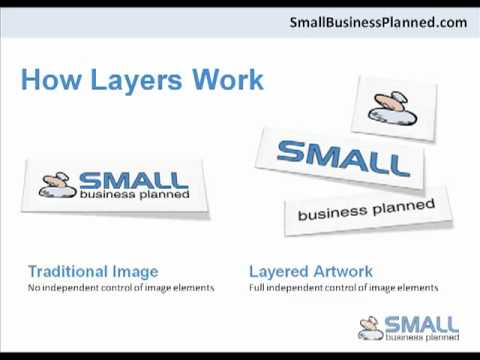
In artwork terms, a layer is best described as a sheet which can house any number of image elements. All elements that rest on this sheet can be edited together, independent of elements that rest on any other sheet. By using layers, it really is simpler to create and edit your artwork.
It’s best practice to have each artwork element on a separate layer. This makes your image editing simple and targeted, and will not effect any of your surrounding image elements. Below is a video which explains the concept of layers and how to use them.
How to: Using Layers
After watching this video you will:
- Understand the benefits of layers
- Understand how to create layers
- Understand how to delete layers
- Understand how to arrange layers
- Understand how to merge layers
Growing Your Small Business,
David Moloney
sbp.strongerbranch.com
GET FREE INSTANT ACCESS TO THESE
THREE ESSENTIAL SMALL BUSINESS RESOURCES
(To help you maximise your business)

15 Recommended Downloads for Small Business Owners

10 Website Mistakes That Cost You Sales

How to Get More Customers Contacting You Automatically
Fantastic video. Using layers in your artwork makes sense and this has really helped me as I wasn’t sure how to change indiviual parts of a picture. Thanks.
.-= Jackie Stenhouse´s last blog ..Types of Child Anxiety Disorder =-.
Thanks David,
Loved the video! You explain it so well. I’m definitely going to try paint.net because it does a lot more than other available free image programs. Thanks for your help.
.-= Bev Langford´s last blog ..Body Acne Treatments =-.
Hi David – wow, this is all new to me. Your video is excellent – easy to understand and at a good pace. Thanks for explaining using layers in your artwork with paint.net so well.
.-= Jan Littlehales´s last blog ..Raising Great Kids – Walking =-.
David, your video on using layers in your artwork is great. You present the information in a clear and easy to follow manner. This is an area that I know nothing about, but after watching this am keen to explore further.
.-= Hilary´s last blog ..Indoor Air Quality =-.
David, that was a great video, very easy to understand and follow.
I’ll be experimenting with Paint.net following your instructions and using layers.
.-= Tania Shipman´s last blog ..Internet Marketing Competition – Weeks 1 – 4 =-.
Thanks Jackie, Bev, Jan, Hilary and Tania
It’s good to know that my ‘using layers’ video was helpful. Once you understand and know how to use layers it allows you to create artwork that better reflects your website and your business.